
- What is the booking solution?
a. What does the booking solution look like? - The benefits of the konfetti booking solution
- Implementation of the booking solution 1.0
- Implementation of the booking solution 2.0
- Our booking solution for your social media channels
- How to increase bookings on your website
- FAQ
1) What is the booking solution?
Make it easy for your customers to purchase tickets, team events, and gift vouchers for your courses.
Contact forms or manual inquiry options often lead to lost customers. As your partner, konfetti offers a simple solution to this problem so you can sell directly without needing your own online shop — the konfetti booking solution.
a) What does the booking solution look like?
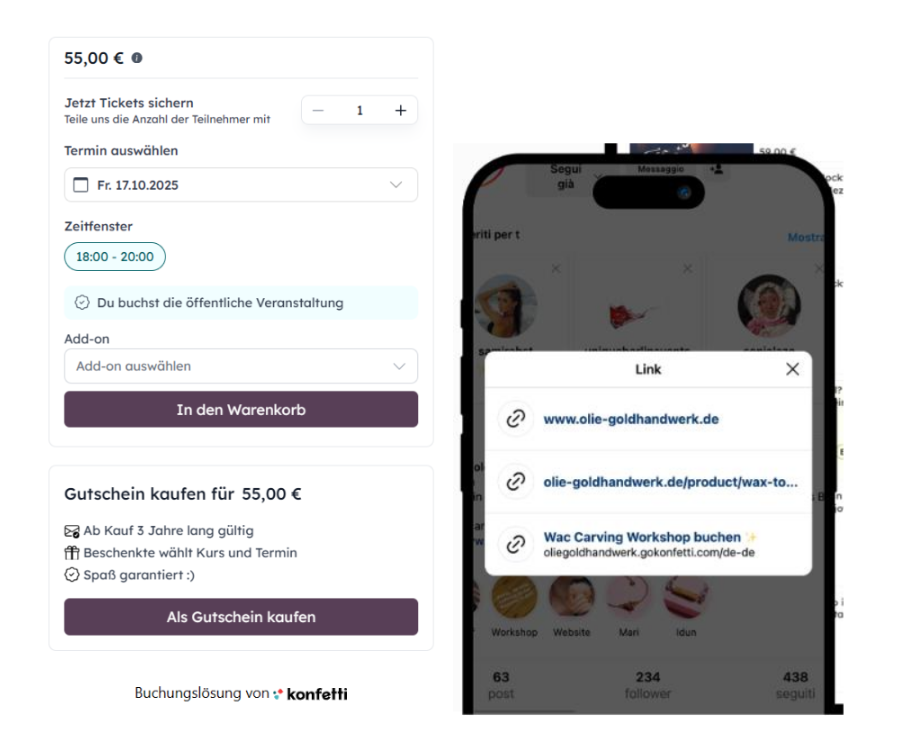
2) Your Benefits More ticket and voucher sales
- Increased reach through the connection between konfetti and your website
- Direct ticket and voucher sales on your own website
- Payment options via Mastercard, VISA, Klarna, PayPal, and Giropay
- Lower barriers to purchase
Automated invoicing & payouts
- Simple billing through konfetti including receipts for your accounting
- No administrative effort for every sale
- Find your invoice every month in your partner account
Less effort
- No more manual lists: manage all your sales through your konfetti partner account
- Automated customer communication (e.g. reminder emails before the event)
- Customers purchase directly through your new booking solution
konfetti booking solution at cost price
- 5.95% commission per ticket (instead of 23.8%)
- Includes onboarding & implementation
- Includes setup costs (server fees)
- Includes transaction fees
- Includes updates & support
Easy and fast implementation
- You can implement the booking solution yourself within minutes. A step-by-step guide can be found below.
- If you need technical support during installation, book an appointment with a konfetti team member and integrate the booking solution together during a short video call.
3) Implementation of the Booking Solution 1.0
HTML widget for embedding a single element on your website → direct booking through your website.
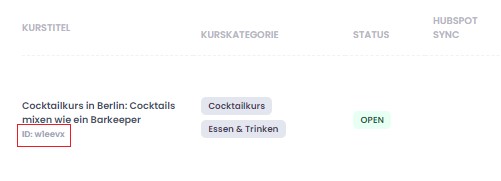
Step 1: Find Event IDs
- Go to your partner area
- Open “Manage Courses” in the left menu
- You will find the ID under the respective course title (example: w1eevx)
Step 2: Insert the Event ID into the Event Tag
- Edit the text inside the brackets after „data-event-id“ by inserting the event ID from step 1
- Copy the code with your event ID
For every course where you want to add the booking solution, you must repeat this step.
<div data-width='499px' id='konfetti_iframe_wrapper' data-event-id='INSERT-YOUR-ID-HERE' data-background-color='CECECE' data-text-color='000000' lang="de-de" data-allow-fullscreen="false">
            <div id='konfetti_iframe'></div>
            <div id='konfetti_footer'>Buchungslösung von
                <a href="<https://gokonfetti.com/de-de/>“ target="_blank"><img
                        alt="konfetti" src="<https://gokonfetti.com/_nuxt/img/full-logo-color-black.2475025.svg>“ width="80"“
                    >
                </a>
            </div>
        </div>
Step 3: Implement the Event Tag
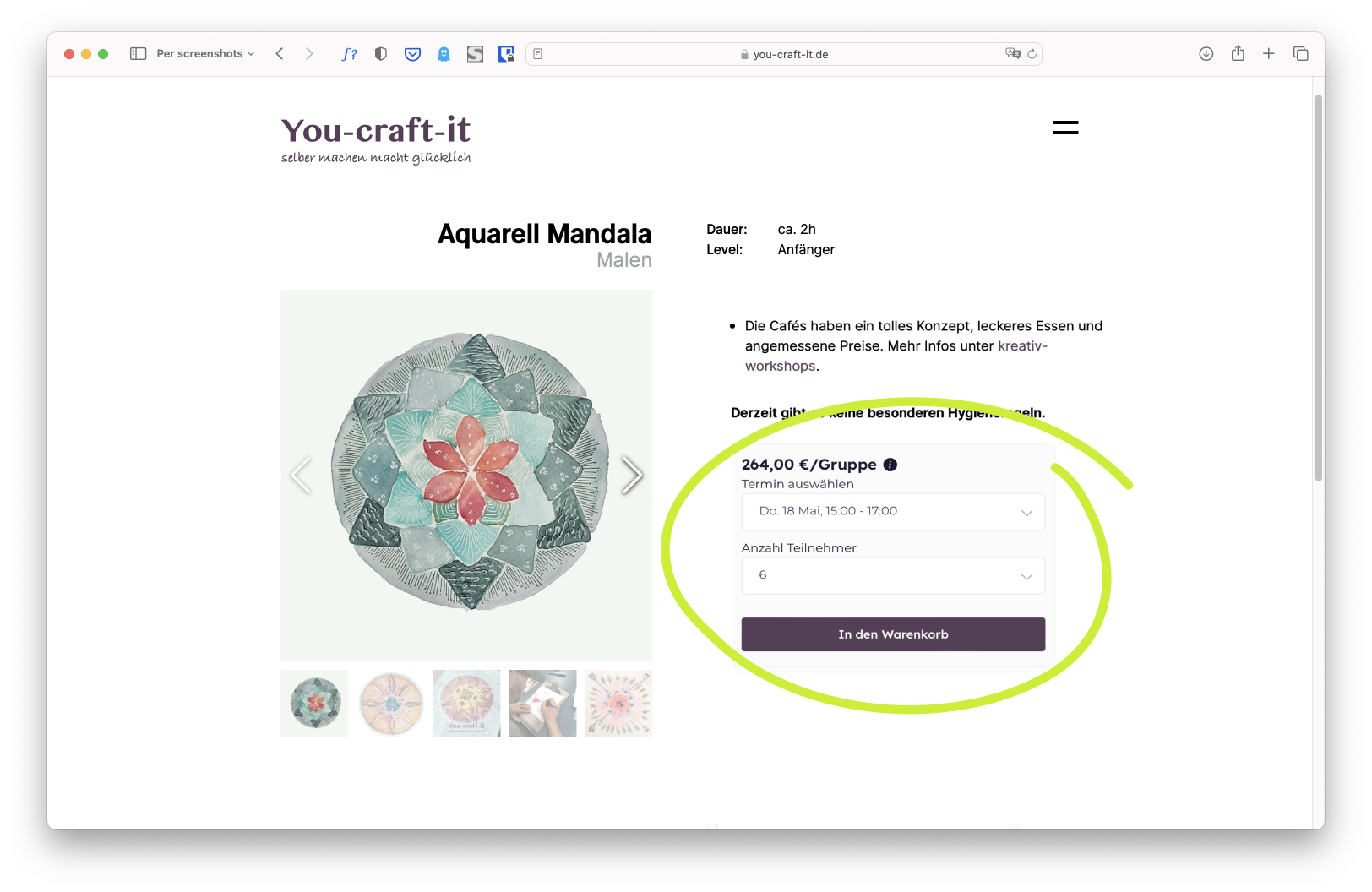
You can now insert the tag from step 2 into the desired place on your website where the konfetti booking solution should appear. Below you can see an example from a konfetti partner. The highlighted section shows the embedded checkout.
You can also customize the size and colors:
- Adjust the size and height under “data-width” and “data-height”
- If desired, choose custom colors for the button and text under “data-background-color” and “data-text-color”
4) Implementation of the Booking Solution 2.0
- Open your partner area
- In the left menu, go to “Marketing” → Booking solution
- Here you can customize your booking solution
- Go to “Booking Solution” → Activate to enable your booking solution
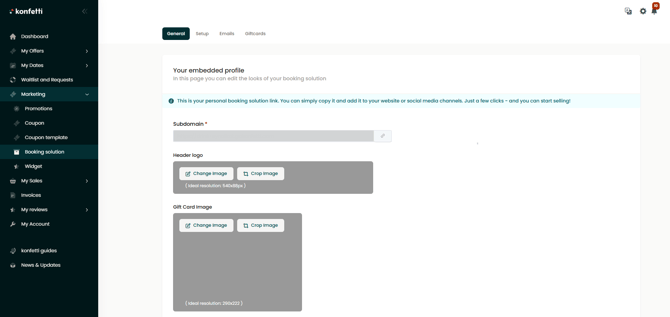
Customize your booking solution
- Define your subdomain. The name consists of your brand name and gokonfetti.com. Make sure to use lowercase letters and correct punctuation:
brandname.gokonfetti.com - Upload a logo for your booking solution page
- Save your changes and copy the subdomain
- Go to the konfetti homepage
- Click on the URL and add your subdomain after https:// and add a period at the end
- Now you can copy the complete URL and add it to your website
Implement the booking solution
You can add the copied URL to your Instagram bio, Google My Business profile, or your website.
5) Our Booking Solution for Your Social Media Channels
Sell your konfetti tickets via Google My Business
- Go to your company profile on Google Maps
- Click on Edit in your Google Maps profile
- Depending on your business profile, select Booking or Pickup and Delivery
- Add the URL of your booking solution
- Click Save
Sell your konfetti tickets via Instagram
- Open the Instagram app on your phone
- Select Your Profile in the bottom navigation
- Click Edit Profile below your name
- Under Links, select Add Links
- By clicking + External Link, you can add the URL of your booking solution
- As the title, you can use something like “Book Courses/Workshops”
- Finally, click Done
Sell your konfetti tickets via Facebook
- Log in to Facebook with your business profile
- Open your personal settings
- Click Contact Information and General Info
- Under Websites and Social, add the URL of your booking solution
- Finally, click Save
6) How to Increase Bookings on Your Website
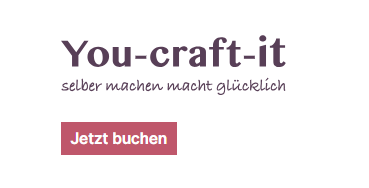
1) Add a link to the booking solution in your website navigation
Users should be able to find your courses quickly without scrolling. Therefore, it is important to place the booking button or booking solution link visibly in the upper section of your homepage. Use link text such as “Book Courses” or “My Events”.
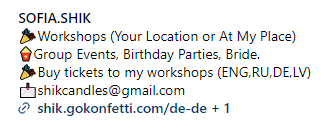
2) Add the booking solution link to your Instagram profile
Your social media followers should be able to book your courses directly through your Instagram profile. Simply place the booking solution link in your Instagram bio.
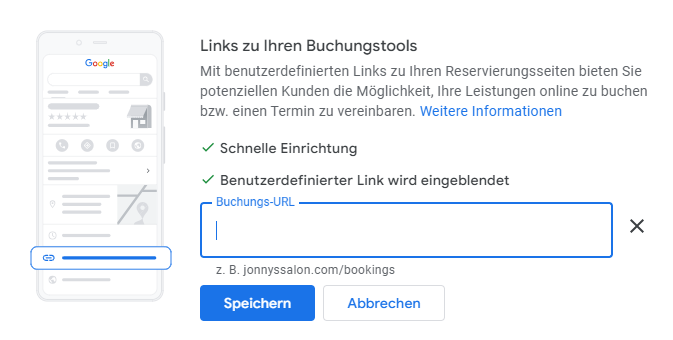
3) Add the booking solution link to your Google Maps profile
Users should be able to book your offers directly through local Google search. By adding the booking solution link, customers are redirected to your own shop. Add the link under “Bookings” → “Link to your booking tools”.
4) Link your booking solution or course pages in your newsletter
Promote your offer in your newsletter and link the booking solution so interested readers can directly book your courses.
5) Search engine optimization (SEO) to increase website traffic
SEO is the process of improving your website’s visibility in Google, Microsoft Bing, and other search engines so users can find your offer more easily.
The goal of SEO is to attract visitors to your website and convert them into customers.
You can find more tips for optimizing your offers in our Help Center.
7) FAQ
1. I have multiple courses on my website. What should I keep in mind?
To embed the booking widget, go to your partner area → Marketing → Booking Solution → Installation. There you can select the desired course. Copy the code and insert it at the desired location on your website, for example in the HTML section or via an embed function. The booking widget will then automatically appear regardless of which website software you use.
2. Can I customize the design of the konfetti booking solution?
Booking widget
- You can customize the color of the booking button and text.
- To do this, simply change the hex color code in the corresponding tag.
General customizations
- You can customize the title and description for tickets and vouchers.
- You can upload your company logo.
- You can also replace the image in the voucher box.
3. Can the booking solution also be displayed in English?
Yes, you can change the language setting of the booking solution to English.
--> If you change the variable lang="de-de" to lang="en-us", the booking solution will be displayed in English.
4. Can I also offer vouchers in addition to tickets?
Yes, you can easily offer your own vouchers. The payout for vouchers is made in the following month. If the cancellation period falls into the next month, the payout will be postponed to the month after next. Customers can also return vouchers within 14 days.
If you do not want to offer vouchers, contact us and we will deactivate the feature. Please note that you are still responsible for redeeming vouchers that have already been paid out.
5. If I no longer want to use the konfetti booking solution, can I remove it free of charge?
You can remove the konfetti booking solution yourself at any time. As with our partnership model, there are no costs if you no longer use the booking solution.
6. Does the konfetti booking solution cost anything?
For every successful booking made through your website, we charge a commission of only 5.95% (incl. VAT). There are no fixed costs per ticket.
7. What happens after a booking?
As with every other booking through us, you will receive an email informing you about the new order for your course. In your partner account, you can find all orders and also see whether the order was placed by you or through us.
8. How and when will I be paid?
The payout is made at the beginning of the month following the service delivery. You can find more information about invoicing and payouts here.
9. Can I offer my courses only through my booking solution and not through the konfetti website?
Yes, it is possible to offer your courses exclusively through the booking solution. However, please note that monthly costs of €29 apply in this case. By default, the booking solution is connected to our website, meaning all appointments you create in the partner portal are automatically displayed both on the konfetti website and in the booking solution.
10. What is special about the konfetti booking solution?
With the konfetti booking solution, your customers can book all your courses and vouchers directly on your website and pay using all common payment methods.
Run your own online shop with the konfetti booking solution — without needing to set up a complicated e-commerce shop.
The konfetti booking solution takes over the administrative work behind every sale. Billing and payouts are handled automatically, so you can fully focus on your creative work.